Tableau Certification Training in Gurgaon
Master Data Visualization (Data Analysis) and get prepared for Tableau official certifications with our role based courses tailored to your specific needs. Tableau is the Business Intelligence(BI) Tool used for visualization purpose within the enterprises to drive key business decisions by using visual elements bar charts, graphs, area charts, maps & other forms of viz patterns available. With the help of BI tool, Data Analysts turns the key insights/numbers into a graphical view allowing business users to discover patterns, trends & insights quickly to make any business decision.
- Enroll for Data Analyst, Developer, Operations, MLOps, AI / ML, Data Viz and Analyst Certifications
- Experience blended learning through interactive offline and online sessions.
- Job Assured Course

- Course Duration - 2 months
- Get Trained from Industry Experts

Train using realtime course materials using online portals & trainer experience to get a personalized teaching experience.
Active interaction in sessions guided by leading professionals from the industry
Gain professionals insights through leading industry experts across domains
Enhance your career with 42+ in-demand skills and 20+ services
Tableau Training Course Overview
This Tableau live-learning courses cover deep into designing, developing, deploying, and managing scalable solutions across Tableau platform, equipping you for success in today’s fast-evolving technology landscape. Master Data Visualization (Data Analysis) and get prepared for Tableau official certifications with our role based courses tailored to your specific needs. Tableau is the Business Intelligence(BI) Tool used for visualization purpose within the enterprises to drive key business decisions by using visual elements bar charts, graphs, area charts, maps & other forms of viz patterns available. With the help of BI tool, Data Analysts turns the key insights/numbers into a graphical view allowing business users to discover patterns, trends & insights quickly to make any business decision
- Benefit from ongoing access to all self-paced videos and archived session recordings
- Success Aimers supports you in gaining visibility among leading employers
- Get prepared for Tableau official certifications with our role based courses tailored to your specific needs
- Engage with real-world capstone projects
- Engage in live virtual classes led by industry experts, complemented by hands-on projects
- Learn 42+ In-Demand Skills & 20+ Services
- Job interview rehearsal sessions
Basic, high-level knowledge of Data warehousing & Data Modelling Concepts and terminology. Ideal starting point for Tableau Certification for those with no prior IT/cloud experience transitioning to cloud careers, or business professionals seeking foundational cloud literacy.
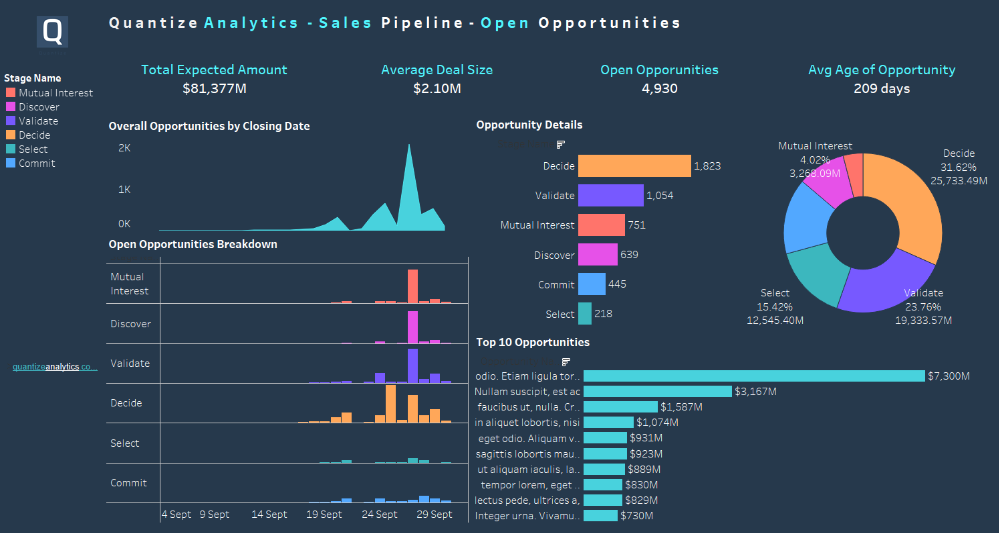
Familiarity with Data Warehouse, Data Pipelines (DL), and Data Modelling fundamentals and real-world applications
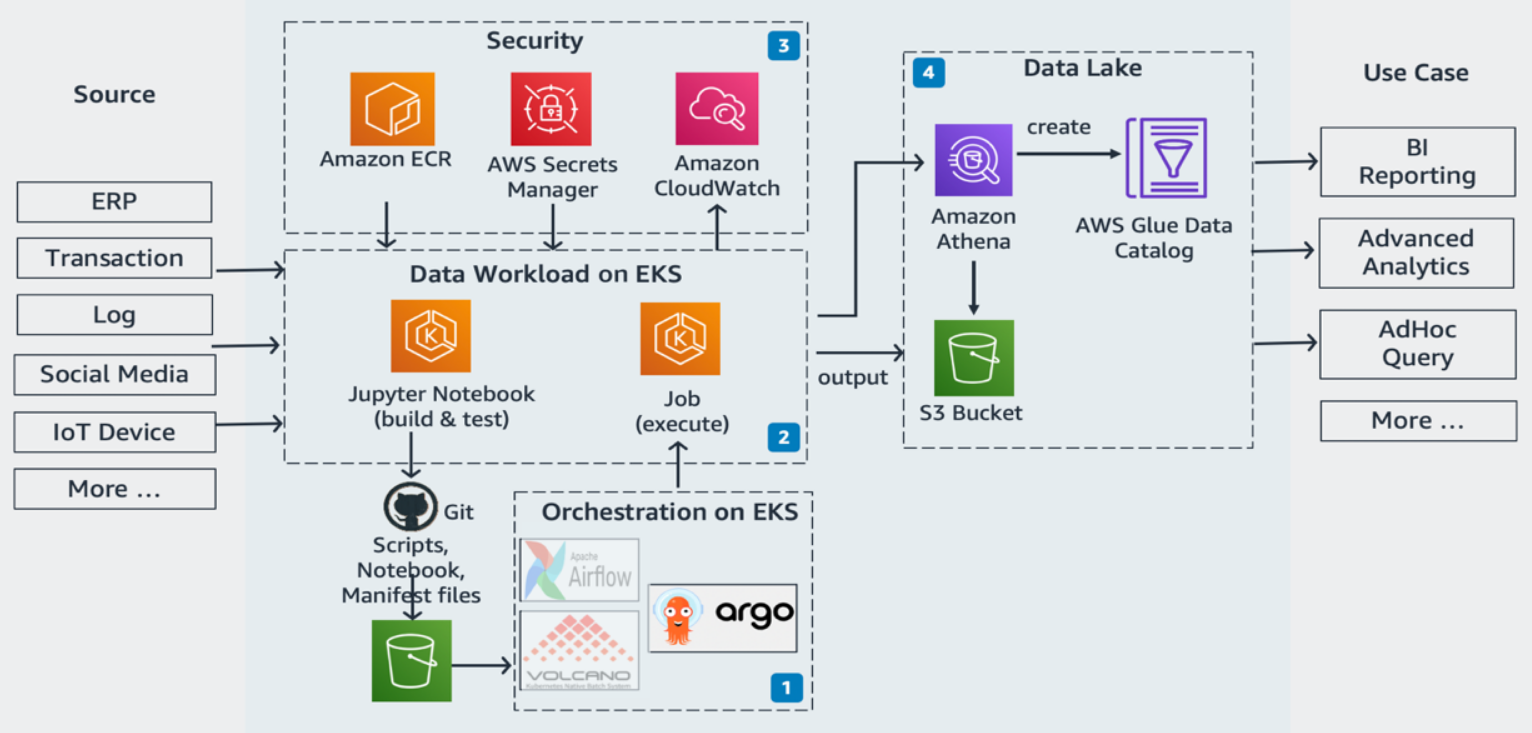
What is Tableau Certified Developer?
Tableau Certified Data Analyst are essential for driving Data innovation in Data driven Pipeline development and testing. They manage the full Data lifecycle—Visualize Data apps, building and maintaining Data pipelines for key business decisions & automating BI development and testing processes. By streamlining Data workflows and resolving challenges in Data Apps on cloud, and maintenance, they help organizations deliver reliable, high-performance applications faster and more efficiently.
The role of Tableau Certified Developer ?
Tableau Certified Developer in Data development and testing oversees the end-to-end lifecycle of Data applications, from development to deployment and system performance optimization. Key responsibilities include:
Exploring Emerging Technologies: Leveraging Data technologies and Data Visualization techniques to enhance efficiency and streamline Data Viz workflows.
Scalable Data, AI & Data Driven Apps Development: Designing and implementing Data driven applications that address critical business needs.
Seamless Deployment: Coordinating Data Driven deployment of pipelines with infrastructure management for smooth delivery.
Data Workflow Optimization: Creating, analyzing, and refining automation scripts and deployment of Data Viz workflows to maximize productivity.
For professionals aspiring to excel in this field, the Success Aimers Tableau Developer Course provides hands-on training to master these skills. The program equips you to confidently manage Data deployment lifecycles, Data pipelines automation, and Data Viz processes, positioning you as a high-impact Tableau Certified Developer in Data development and testing.”**
Who should take this Tableau Certified Developer course?
The Tableau Certified Developer Course is tailored for Data Analyst professionals aiming to accelerate their careers in Cloud, data, and technology-driven sectors. It is particularly valuable for roles including:
Data Team Leaders
Data and Tableau Developers
Data Cloud Engineers and IT Managers
Data Cloud & Tableau Engineers
Data Cloud Researchers and ETL Engineers
This program equips participants with the skills to lead Data & Reporting initiatives, implement advanced Tableau workflows, and drive innovation in ETL development and testing.
What are the prerequisites of Tableau Certified Developer Course?
Prerequisites for the Tableau Certified Cloud Engineer Certification Course”
To ensure a seamless learning experience, candidates are expected to have:
Educational Background: An undergraduate degree or high school diploma in a relevant field.
Technical Foundation: Knowledge of IT, Data development, or data science fundamentals.
Programming Skills: Basic proficiency in languages such as Python or JavaScript.
Cloud Familiarity: Experience with cloud platforms like AWS or Microsoft Azure.
Meeting these prerequisites enables learners to effectively grasp advanced Cloud concepts, including Data Viz tool, Data pipeline workflows, Data App deployment, and automation throughout the course.
What are the prerequisites of Tableau Certified Developer Course?
- Tableau Certified Cloud Engineer
- Data Analysts Engineer
- Data Cloud Manager
- Data Automation Engineer
- Data Cloud Engineer /Data Cloud Architect
- Data Analyst Engineer
- Data Cloud Engineer
| Training Options | Weekdays (Mon-Fri) | Weekends (Sat-Sun) | Fast Track |
|---|---|---|---|
| Duration of Course | 3 months | 4 months | 1 month |
| Hours / day | 1-2 hours | 2-3 hours | 5 hours |
| Mode of Training | Offline / Online | Offline / Online | Offline / Online |
Tableau Course Curriculum
This Tableau Certification training enhances your career after choosing the relevant certification path based on the roles. You can practice with hands-on labs and capstone projects and gain proficiency with Data Viz tools. After completion of the course, you can leverage Job assistance services and enhance career prospects.
Below are the leading cloud career roles and the corresponding Tableau certification path. You can choose the role(s) that progress your Tableau certification journey toward your goals. These learning paths are recommendations, not requirements.
Tableau for Business Intelligence
Tableau Basics
- What is Business Intelligence (BI)
- The Power of Data Visualization
- Excel vs Tableau
- Best 3 Tools for Data Visualization
- What is Tableau?
- Why Tableau?
Tableau Product Site
- Section Introduction | Tableau Products
- Tableau Development Products & Process
- Tableau Desktop
- Tableau Public Desktop
- Tableau PREP
- Tableau Desktop vs Public vs PREP
- Tableau Sharing Products & Process
- Hosting Tableau: On-Prem vs IaaS vs SaaS
- Tableau Server & Cloud
- Tableau Public
- Tableau Reader & Mobile
- Tableau Server vs Cloud vs Public vs Reader vs Mobile
Tableau Architecture
- Introduction | Tableau Architecture
- Tableau Live vs Extract
- Tableau File Types
- Tableau Architecture: Desktop Components
- Tableau Server: Publish Process
- Tableau Server: Authentication Process
- Tableau Server: Access View Process
- Tableau Architecture: Server Components
- Tableau Architecture: Public Components & Limitations
Preparing our Training Environment
- Introduction | Tableau Prepare Your Environment
- Download & Install Tableau
- Create Tableau Public Account
- Get Free Training Datasets
- Publishing Your First VIZ
- Tour of the Tableau Interface
Data Modeling & Combining Data
- Introduction | Data Modeling & Combining Data
- Concept Of Data Modeling
- Tableau Data Modeling and Layers (Physical & Logical)
- Joins: Inner, Left, Right, Full Join
- Union
- Relationships
- Data Blending
- Join vs Union
- Joins vs Data Blending
- Joins vs Relationships
- JOIN vs UNION vs RELATION vs BLENDING
- Build Two Data Sources
Tableau Metadata
- Introduction | Tableau Metadata
- Introduction to Tableau Metadata
- Data Types
- Geographic and Image Roles
- Dimensions and Measures
- Discrete and Continuous
- Data Types vs Dimension & Measure vs Discrete & Continuous
Renaming & Aliases
- Introduction | Renaming & Aliases
- Naming Conventions
- Rename Columns & Tables
- Aliases
Organizing our Data
- Introduction | Organizing Data
- Hierarchies
- Groups
- Cluster Groups
- Sets
- Bins & Histograms
Filtering and Sorting Data
- Introduction | Filtering & Sorting Data
- Types of Filters (Concept)
- How to Create Filters
- Customize Filters
- 10x Filter Tips & Tricks
- Sorting Data
Time Series, Aggregation and Filters
- Working with Data Extracts in Tableau
- Working with Time Series
- Understanding Aggregation, Granularity, and Level of Detail
- Creating an Area Chart & Learning About Highlighting
- Adding a Filter and Quick Filter
- Timeseries, Aggregation, and Filters
Parameters | Dynamic Views
- Concept of Parameters
- Dynamic Calculations using Parameters
- Dynamic Reference Lines using Parameters
- Dynamic Filters using Parameters
- Swap Measures/Dimensions using Parameters
- Dynamic Titles & Texts using Parameters
- Dynamic Bins & Histograms using Parameters
Tableau Actions
- Concept of Actions
- Actions: Go To URL
- Actions: Go to Sheet
- Actions: Filters & Quick Actions
- Actions: Highlight
- Actions: Set
- Actions: Parameters
- Choose The Correct Trigger
Tableau Calculations
- Introduction | Tableau Calculation
- Introduction to Tableau Calculations
- Based Components of Calculations
- Nested Calculations
- Types of Calculations
- Number Functions | Round Functions: CEILING, FLOOR, ROUND
- String Functions | Change Cases: LOWER & UPPER
- String Functions | Remove Spaces: LTRIM, RTRIM, TRIM
- String Functions | Extract Substring: LEFT, RIGHT, MID
- String Functions | Search: STARTSWITH, ENDSWITH, CONTAINS, FIND, FINDNTH
- String Functions | CONCAT & SPLIT
- String Functions | REPLACE
- Date Functions | Extract Dateparts: DATENAME, DATEPART, DATETRUNC, DAY
- Date Functions | Add & Subtract Dates: DATEDIFF, DATEADD
- Date Functions | TODAY & NOW
- NULL Functions | ZN, IFNULL, ISNULL
- Logical Functions | IF, ELSE, ELSEIF, IIF, CASEWHEN
- Logical Operators | AND, OR, NOT
- Aggregate Functions | SUM, AVG, COUNT, COUNTD, MAX, MIN
- Aggregate Functions | ATTR Attribute Function
- LOD Expressions | Introduction to Tableau Level of Details
- LOD Expressions | FIXED
- LOD Expressions | EXCLUDE
- LOD Expressions | INCLUDE
- Table Calculations | FIRST, LAST, INDEX, RANK
- Table Calculations | Running Total
- Table Calculations | Difference
Tableau Charts
- Introduction | Tableau Charts
- Multiple Measures in One View
- Bar Charts
- Bar-in-Bar Chart
- Barcode Chart
- Line Charts
- Highlighted Line Charts
- Bump Chart
- Sparkline Chart
- Barbell Chart
- Rounded Bar Chart
- Slope Chart
- Bar with Line Charts
- Bullet Chart
- Lollipop Chart
- Area Charts
- Scatter Plots
- Dot Plot
- Circle Timeline
- Pie & Donut Charts
- Treemap & Heatmap
- Bubble Charts
- Maps
- Histograms
- Calendar Chart
- Waterfall Chart
- Pareto Charts
- Butterfly (Tornado) Chart
- Quadrant Chart
- Box Plot
- KPI
- Bar Chart & KPI
- BANS
- Funnel Chart
- Progress Bar
- Choose the Right Chart!
Tableau Dashboards (Table Calculations, Advanced Dashboards, Storytelling)
- Introduction To Tableau Dashboards
- Tableau Dashboard Project
- Downloading the Dataset and Connecting to Tableau
- Mapping: how to Set Geographical Roles
- Creating Table Calculations for Gender
- Creating Bins and Distributions For Age
- Leveraging the Power of Parameters
- How to Create a Tree Map Chart
- Creating a Customer Segmentation Dashboard
- Advanced Dashboard Interactivity
- Analyzing the Customer Segmentation Dashboard *
- Creating a Storyline
- Table Calculations, Advanced Dashboards, Storytelling
Advanced Data Preparation
- What Format Your Data Should Be In
- Data Interpreter
- Pivot
- Splitting a Column into Multiple Columns
- Metadata Grid
- Fixing Geographical Data Errors in Tableau
- Advanced Data Preparation
Clusters, Custom Territories, Design Features
- The Challenge: Startup Expansion Analytics
- Custom Territories Via Groups
- Custom Territories Via Geographic Roles
- Adding a Highlighter
- Clustering In Tableau
- Cross-Database Joins
- Modeling With Clusters
- Saving Your Clusters
- New Mobile Features
- Clusters, Custom Territories, Design Features
Tableau Toolkit
- Data From PDF Files
- Connecting to PDF
- Connecting to Spatial Files
- Joining to Spatial Files
- Putting it All Together
- Step and Jump Line Chart
- Viz in Tooltip
Tableau Project
- Introduction | Tableau Project
- Tableau Project Steps
- #1 Step | Requirements analysis
- #2 Step | Building Data Source
- #3 Step | Building Charts
- #4 Step | Building Sales Dashboard
- #5 Step | Building Customer Dashboard
Tableau HR Project
- Introduction
- Build Data Source
- Summary Dashboard | Build Charts - Part1
- Summary Dashboard | Build Charts - Part2
- Summary Dashboard | Sketch Mockups
- Summary Dashboard | Build Dashboard and Containers
- Summary Dashboard | Fine Tuning the Dashboard
- Detailed Dashboard | Build the Table
- Detailed Dashboard | Sketch Mockups
- Detailed Dashboard | Build the Dashboard
Develop a Data Visualization using Tableau platform with Medallion architecture & ingestion tools.
Project Description : Ingest data from multiple data source into Data pipeline through ADF connectors to a raw layer automatically through the CI/CD pipeline integrates with Terraform scripts that will snip the infrastructure at runtime & also helped the apps to be deployed into higher environments (UAT, Stage & above). Data will be stored in the Datawarehouse after apply the business rules and transformations using the ETL tools like PySpark, Talend, Informatica IICS & others. After Data Modeling, Data Marts will be prepared to bring in the reporting layer to integrate it with BI tools.
Automated Ingestion Framework Pipeline (Data MESH on Azure & reported to Tableau Dashboard)
The whole Data MESH pipeline will be automated through Jenkins & Terraform where in it deploys the Azure components like Azure BLOB Storage, Functions, Logic Apps into Azure before triggering the data flow through the pipeline. Data will be extracted from the source like contact centers & others & this whole pipeline is realtime pipeline that triggers whenever data arrives from the source into Kafka using Kafka source and sink connecters that triggers the deployment process. Data will be stored in the Datawarehouse after apply the business rules and transformations using the ETL tools like PySpark, Talend, Informatica IICS & others.
Hours of content
Live Sessions
Software Tools





After completion of this training program you will be able to launch your carrer in the world of AI being certified as Tableau Certified Developer course.
With the Tableau Certified Developer course in-hand you can boost your profile on Linked, Meta, Twitter & other platform to boost your visibility

- Get your certificate upon successful completion of the course.
- Certificates for each course
- Tableau
- Data Analyst
- Datawarehouse
- DataLake
- Tableau Connectors
- SQL
- Data Viz
- Data Reporting
- Tableau Integration
- Data Modelling
- Data Quality
- Data Quality Checks (DQC)
- ETL Tool
- Business Intelligence (BI) Tools

45% - 100%








Designed to provide guidance on current interview practices, personality development, soft skills enhancement, and HR-related questions

Receive expert assistance from our placement team to craft your resume and optimize your Job Profile. Learn effective strategies to capture the attention of HR professionals and maximize your chances of getting shortlisted.

Engage in mock interview sessions led by our industry experts to receive continuous, detailed feedback along with a customized improvement plan. Our dedicated support will help refine your skills until your desired job in the industry.

Join interactive sessions with industry professionals to understand the key skills companies seek. Practice solving interview question worksheets designed to improve your readiness and boost your chances of success in interviews

Build meaningful relationships with key decision-makers and open doors to exciting job prospects in Product and Service based partner

Your path to job placement starts immediately after you finish the course with guaranteed interview calls
Why should you choose to pursue a Tableau Certified Developer Course with Success Aimers?
Success Aimers teaching strategy follow a methodology where in we believe in realtime job scenarios that covers industry use-cases & this will help in building the carrer in the field of Tableau & also delivers training with help of leading industry experts that helps students to confidently answers questions confidently & excel projects as well while working in a real-world
What is the time frame to become competent as a Tableau Certified Developer ?
To become a successful Tableau Certified Developer required 1-2 years of consistent learning with dedicated 3-4 hours on daily basis.
But with Success Aimers with the help of leading industry experts & specialized trainers you able to achieve that degree of mastery in 6 months or one year or so and it’s because our curriculum & labs we had formed with hands-on projects.
Will skipping a session prevent me from completing the course?
Missing a live session doesn’t impact your training because we have the live recorded session that’s students can refer later.
What industries lead in Tableau implementation?
- Manufacturing
- Financial Services
- Healthcare
- E-commerce
- Telecommunications
- BFSI (Banking, Finance & Insurance)
- Travel Industry
Does Success Aimers offer corporate training solutions?
At Success Aimers, we have tied up with 500 + Corporate Partners to support their talent development through online training. Our corporate training programme delivers training based on industry use-cases & focused on ever-evolving tech space.
How is the Success Aimers Tableau Certified Developer Course reviewed by learners?
Our Tableau Certified Developer Course features a well-designed curriculum frameworks focused on delivering training based on industry needs & aligned on ever-changing evolving needs of today’s workforce due to Data & AI.
Also our training curriculum has been reviewed by alumi & praises the thorough content & real along practical use-cases that we covered during the training. Our program helps working professionals to upgrade their BI skills & help them grow further in their roles…
Can I attend a demo session before I enroll?
Yes, we offer one-to-one discussion before the training and also schedule one demo session to have a gist of trainer teaching style & also the students have questions around training
programme placements & job growth after training completion.
What batch size do you consider for the course?
On an average we keep 5-10 students in a batch to have a interactive session & this way trainer can focus on each individual instead of having a large group
Do you offer learning content as part of the program?
Students are provided with training content wherein the trainer share the Code Snippets, PPT Materials along with recordings of all the batches

Agentic AI Frameworks and Workflow Automation Course in Gurgaon AI is the future innovation with...
Agentic AI with Lang Chain and Lang Graph Training Course in Gurgaon With high-demand of...

AI Agent and Agentic AI Workflows with N8N Course in Gurgaon Master the future of...

AI Infrastructure Scaling and Governance with MCP Certification Course in Gurgaon AI is the future...

AWS Bedrock Training Course in Gurgaon AI is the future innovation with Agentic AI tools...
Azure Open AI & Azure AI Foundry Training Course AI is the future innovation with...

Databricks Mosaic Agentic AI Training Course in Gurgaon AI is the future innovation with Agentic...
Gen AI Course for Software Testing in Gurgaon: Automation and Quality AI is the future...
Generative AI Certification Course in Gurgaon AI is the future innovation with Agentic AI tools...

Generative AI Course for Business Leaders and Senior Management in Gurgaon Kickstart your carrer in...

Generative AI Course for Cyber Security Professionals in Gurgaon AI is the future innovation with...
Generative AI Course for Software Development and Testing in Gurgaon AI is the future innovation...

Generative AI with Vector Databases and RAG Certification Course in Gurgaon AI is the future...

Google Cloud AI Training Course in Gurgaon AI is the future innovation with Agentic AI...

OpenAI ChatGPT Training Course in Gurgaon AI is the future innovation with Agentic AI tools...